UsePod
UsePod is an OpenAI-compatible inference marketplace.
In HivemindOS, it is treated as a prepaid runtime rail first. Provider hosting is documented separately because that path exposes local compute to a marketplace and deserves more care.
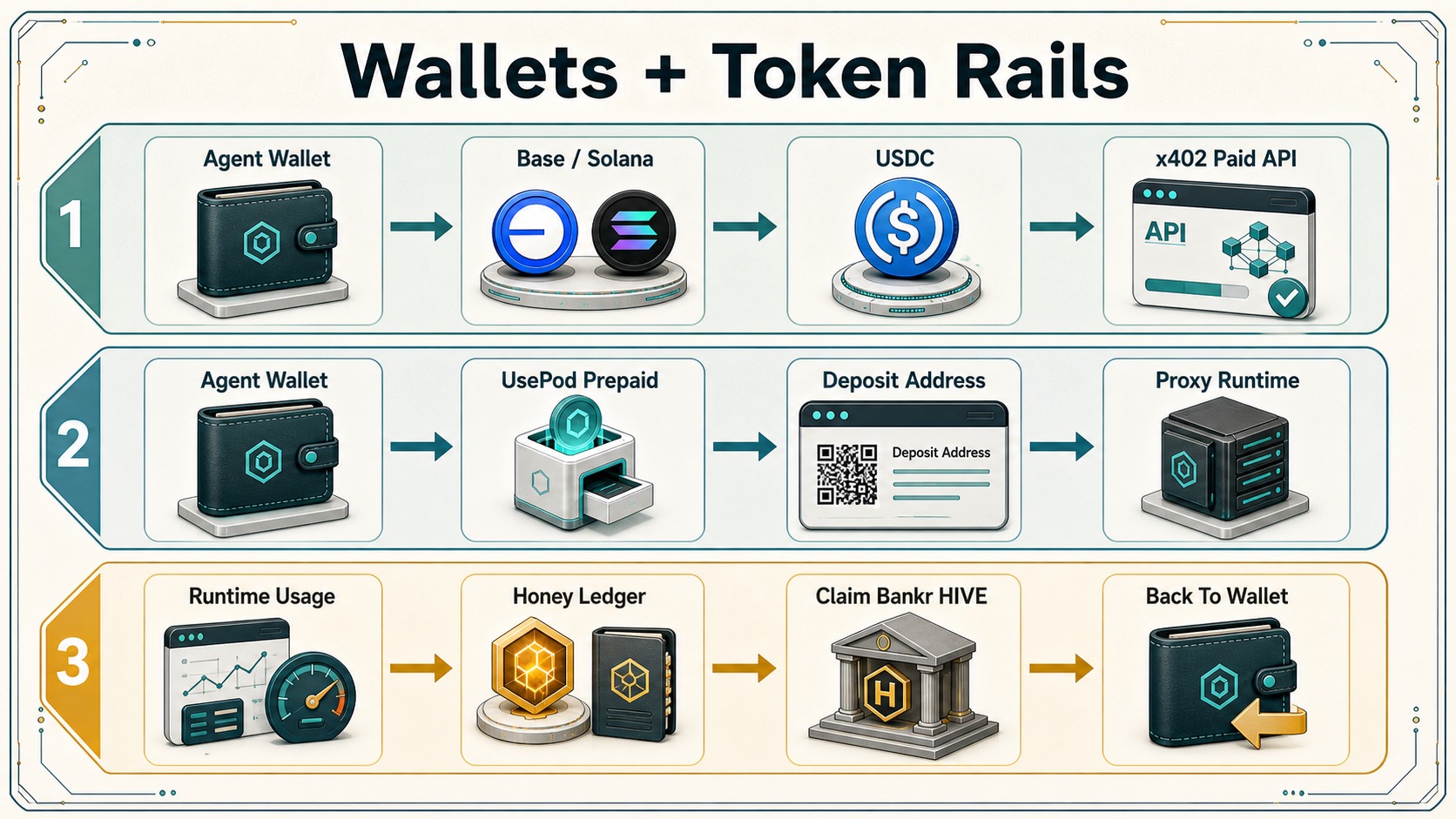
Demand-Side Inference
HivemindOS agents can use UsePod through the OpenAI-compatible runtime.
- Proxy base URL:
https://api.usepod.ai/proxy/<token>/v1 - Chat path:
/chat/completions - Models path:
/models - Token env:
USEPOD_TOKEN - Deposit env:
USEPOD_DEPOSIT_ADDRESS - Optional input cap:
USEPOD_MAX_PRICE_INPUT_MICRO_USDC - Optional output cap:
USEPOD_MAX_PRICE_OUTPUT_MICRO_USDC
The dashboard UsePod setup action registers a token through UsePod, saves the token and deposit address with scripts/hive-env-add, and configures the selected OpenAI-compatible agent with provider usepod. Runtime calls do not send a bearer token. The token lives in the UsePod proxy URL path.
UsePod response metadata is recorded in runtime telemetry when present:
X-Balance-RemainingX-Pod-Route
Dashboard UX
Agent Settings includes a UsePod readiness card for OpenAI-compatible agents:
- Token env name.
- Deposit address with copy/open actions.
- Model discovery from
/models. - Latest observed balance and route.
- Tiny chat test for checking funded inference.
- Spend cap presets before exact microunit inputs.
The Wallets tab treats usepod as a prepaid rail and shows the same deposit, balance, route, model count, and last test status when the selected agent has UsePod metadata.
Spend Controls
UsePod price caps are microunits. HivemindOS maps the agent’s UsePod advanced settings to:
X-Pod-Max-Price-InputX-Pod-Max-Price-Output
Leave a cap empty to let UsePod route normally. Set both caps for agents that should only use routes under a known per-token ceiling.
The primary presets are:
- Cheapest: strict caps for low-cost exploration.
- Balanced: default guarded routing.
- Fast: wider caps for more route availability.
- No cap: omit price-cap headers.
Provider Hosting
Provider hosting is available through the fleet Rent out This Mac flow. HivemindOS enrolls the provider, checks the Solana USDC bond wallet, posts the UsePod operator bond when the generated local provider wallet is funded, pairs usepod-agent, discovers a local LM Studio/OpenAI-compatible or Ollama backend through /v1/models, writes a real agent.toml, validates it with usepod-agent validate, and only then starts usepod-agent --config <path> run.
Before running a provider agent, review:
- Operator and identity key handling.
- Backend bind addresses and Tailnet exposure.
- Bonding/funding requirements.
- Prometheus metrics exposure, commonly
127.0.0.1:9090. - Systemd or Docker lifecycle ownership.
The in-app flow writes its generated provider config under ~/.hivemindos/usepod-agent/ and refuses to go live when no local backend reports models. Service installation remains a separate reviewed operator choice.
Code Paths
src/lib/services/usepod.tssrc/app/api/usepod/register/route.tssrc/app/api/usepod/status/route.tssrc/app/api/chat/agent-runtime/route.tssrc/lib/services/runtime-adapters/openai-compatible.tssrc/features/dashboard/views/chat/GuidedUsePodSetup.tsxsrc/features/dashboard/views/chat/AgentSettingsModal.tsxsrc/components/wallet/AgentWalletCard.tsx